Learn how to search products, select countries, retrieve import or export data, review shipment records, and explore detailed trade intelligence using CBS Trade Data.
STEP 01
Open CBS Trade Data
Explaining the Tool Chest
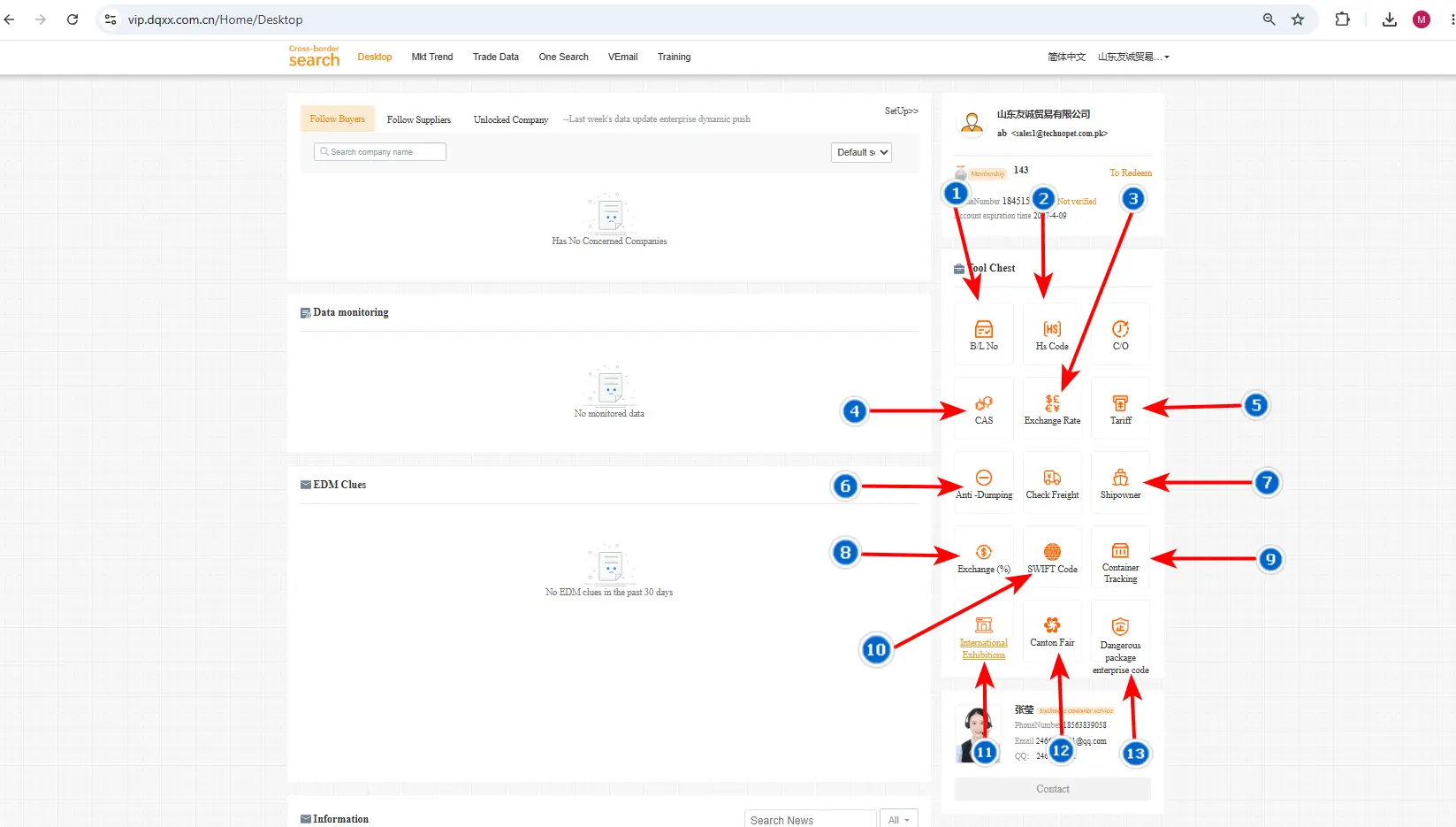
Image 1:Tool Box Explain
01
B/L No.
Search shipment and cargo information using a Bill of Lading number. Find details about the shipment, carrier, origin, destination, and container.
02
HS Code
Find product classification, descriptions, and customs information. Use HS Codes to identify products and check related trade information.
03
Exchange Rate
Explore currencies with their full names, short names, and codes. Get basic information about international currencies.
04
CAS
Find chemical and element names in English and Chinese, molecular formulas, and CAS numbers using the CAS Registry Number.
05
Tariff
Enter a product code to find applicable tariffs, customs duties, and taxes for international trade.
06
Anti-Dumping
Search Argentina’s anti-dumping duties and measures using a product code, with details on affected products.
07
Shipowner
Find shipping companies that can transport your products internationally, with names, contacts, and websites.
08
Exchange %
Compare exchange rates between currencies and countries for international business and trade.
09
Container Tracking
Enter a container number to track it. View container information, shipment status, and transportation details.
10
SWIFT Code
Find Chinese national bank addresses and their SWIFT/BIC codes for international payment transactions.
11
International Exhibitions
Find trade shows in different countries. Explore dates, locations, industries, and other event information.
12
Canton Fair
China’s major import and export fair. Find sessions, phases, dates, venues, product categories, and exhibitors.
13
Dangerous Package Enterprise Code
Find companies specializing in packaging dangerous goods and hazardous materials, including enterprises serving chemicals and other regulated products.
STEP 02
Explore the Dashboard View
Explain the Dashboard
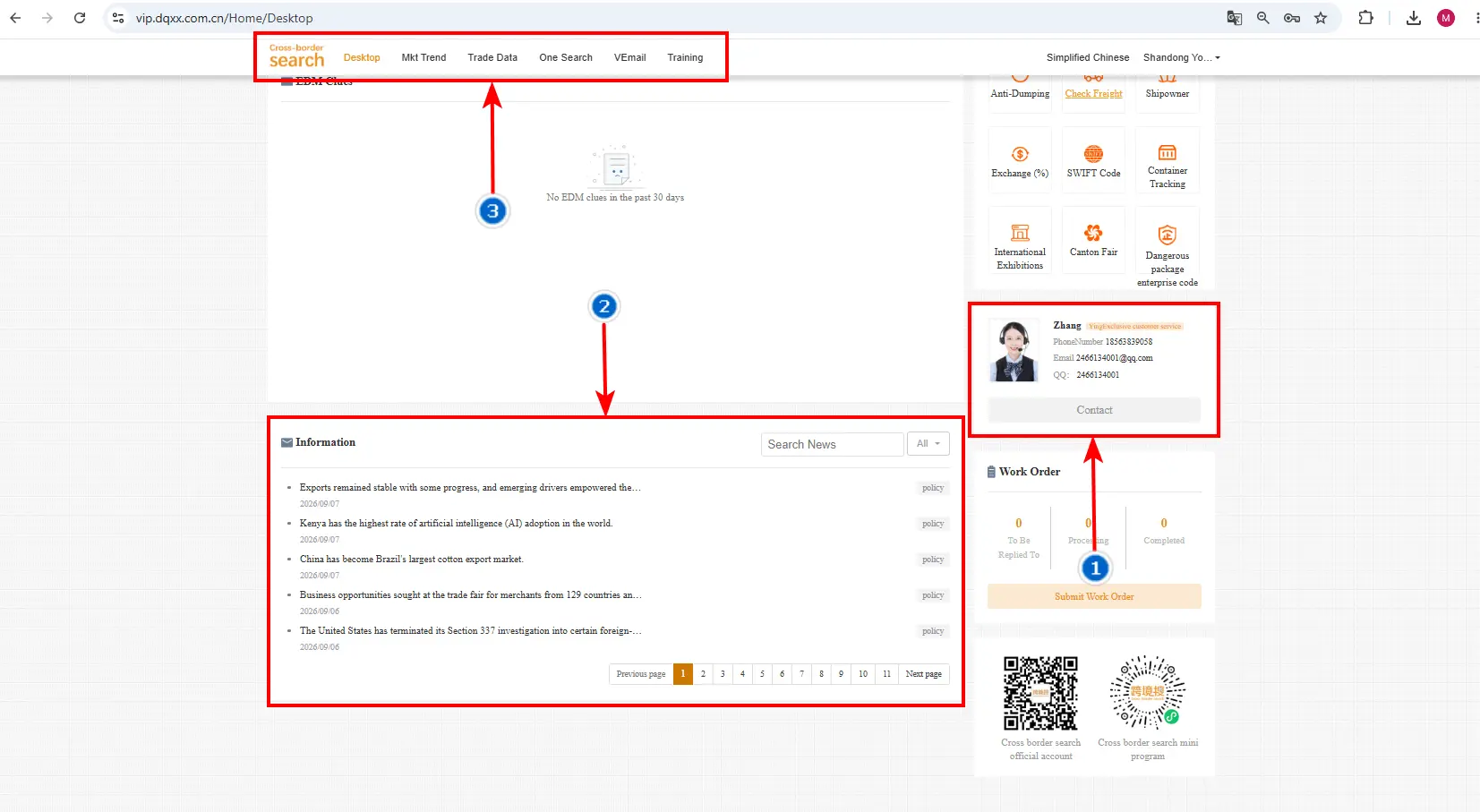
Image 2: Desktop Page Over View
01
Customer Service / Account Details
Click the customer service profile to open account and contact information, then reach the representative for assistance.
02
Information / Trade News
Get the latest updates on products, imports, exports, tariffs, taxes, and trade policies. Search news such as wheat, agricultural products, and other commodities.
03
Main Header / Navigation
Quick access to Desktop, Market Trend, Trade Data, One Search, VEmail, and Training.