Learn how to search products, select countries, retrieve import or export data, review shipment records, and explore detailed trade intelligence using CBS Trade Data.
STEP 01
Open CBS Trade Data Dashboard
Go to One Search
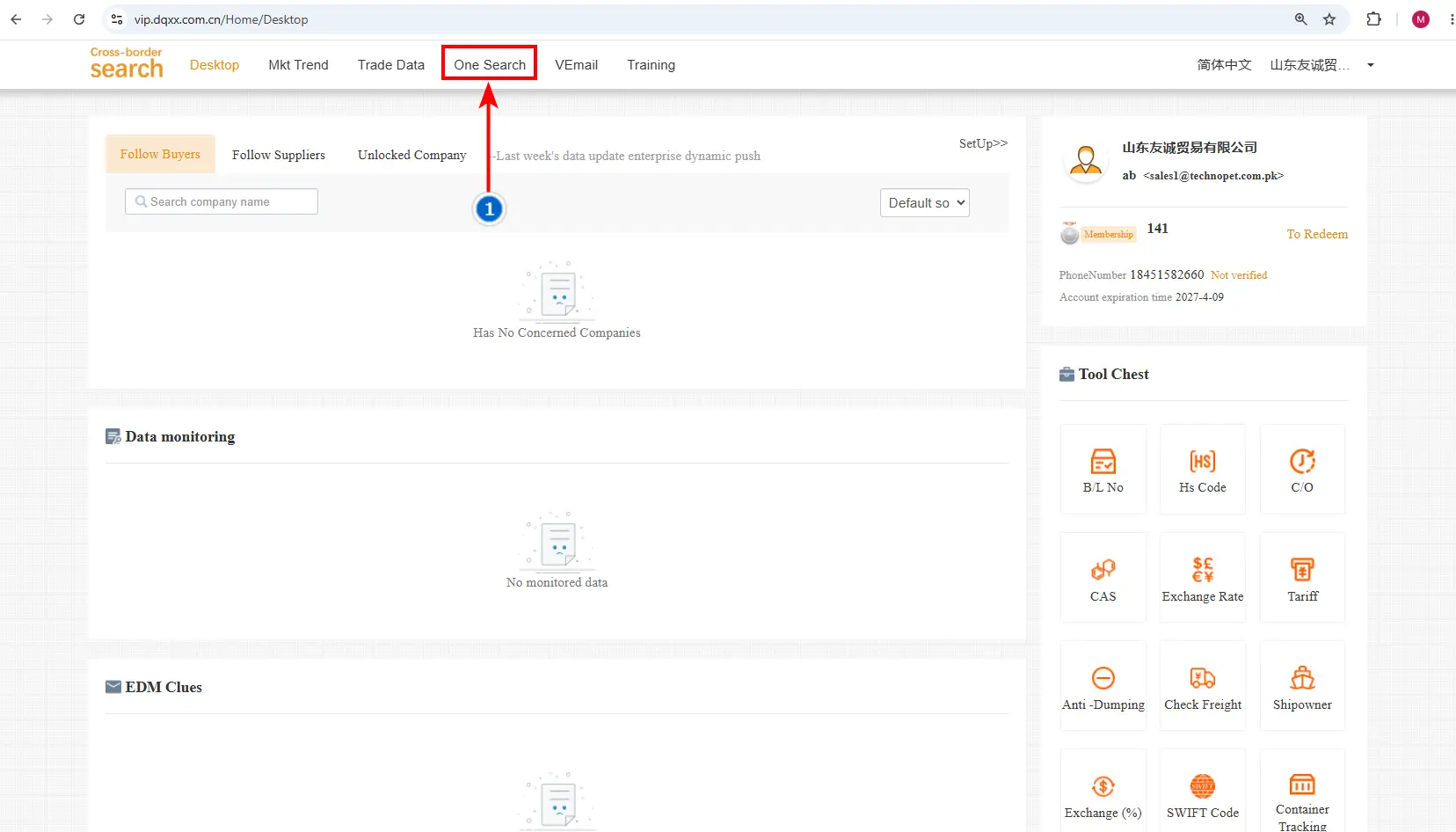
Image 1: CBS Home Screen with One Search Tab
01
Open One Search
To get the import data of a selected company, click the One Search tab in the header.
STEP 02
One Search Explain
Set Up Your Company Search
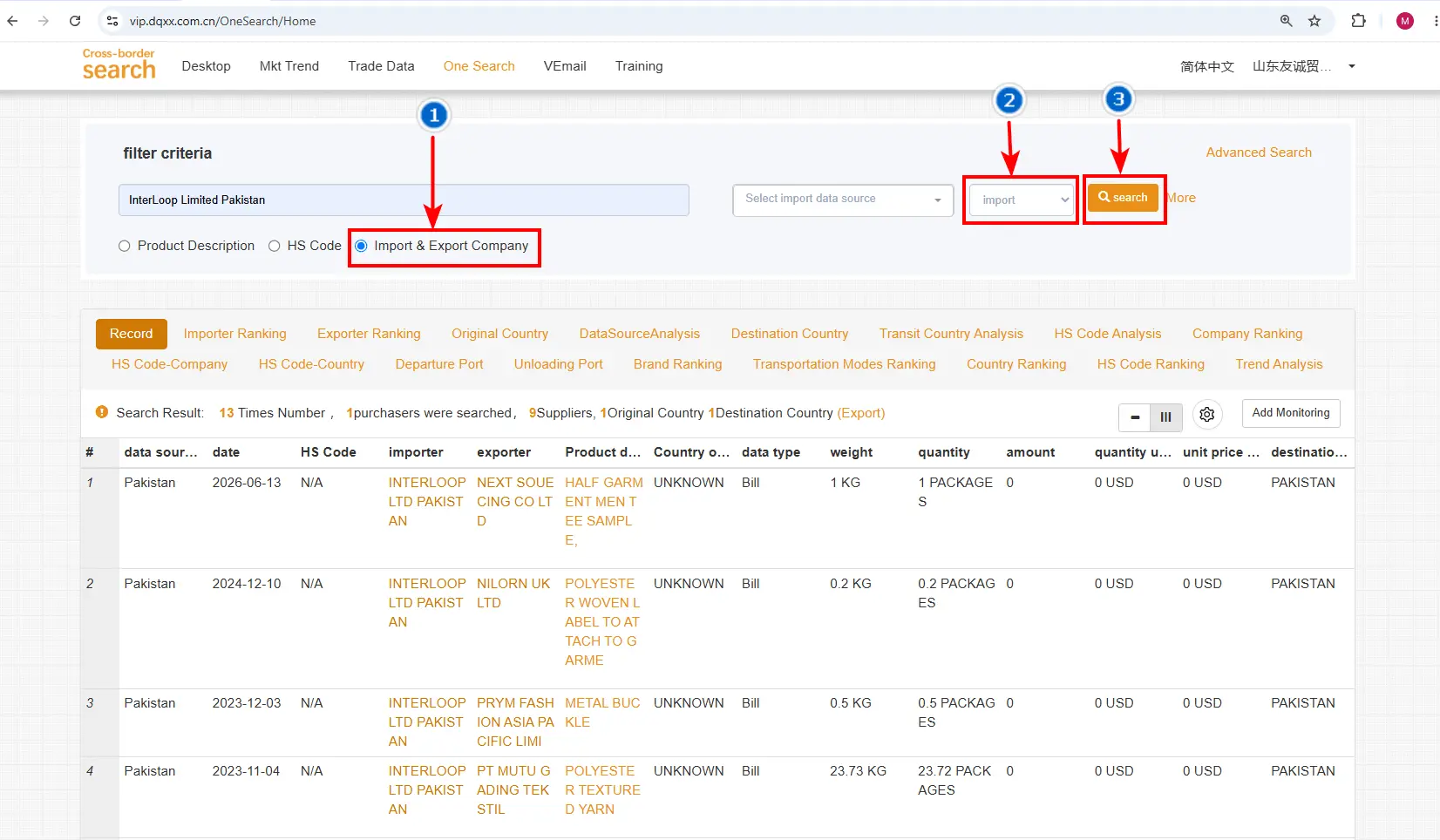
Image 2: One Search Filter for Company Import Data
01
Import & Export Company
Select Import & Export Company, then enter the company name in the Search tab, for example Interloop Limited, Pakistan.
02
Select Import
Choose the Import option to view the company’s import data.
03
Click Search
Click the Search button. The data page opens and shows all the relevant information.
STEP 03
Explore Imports Tab
All Related Data of the Selected Company
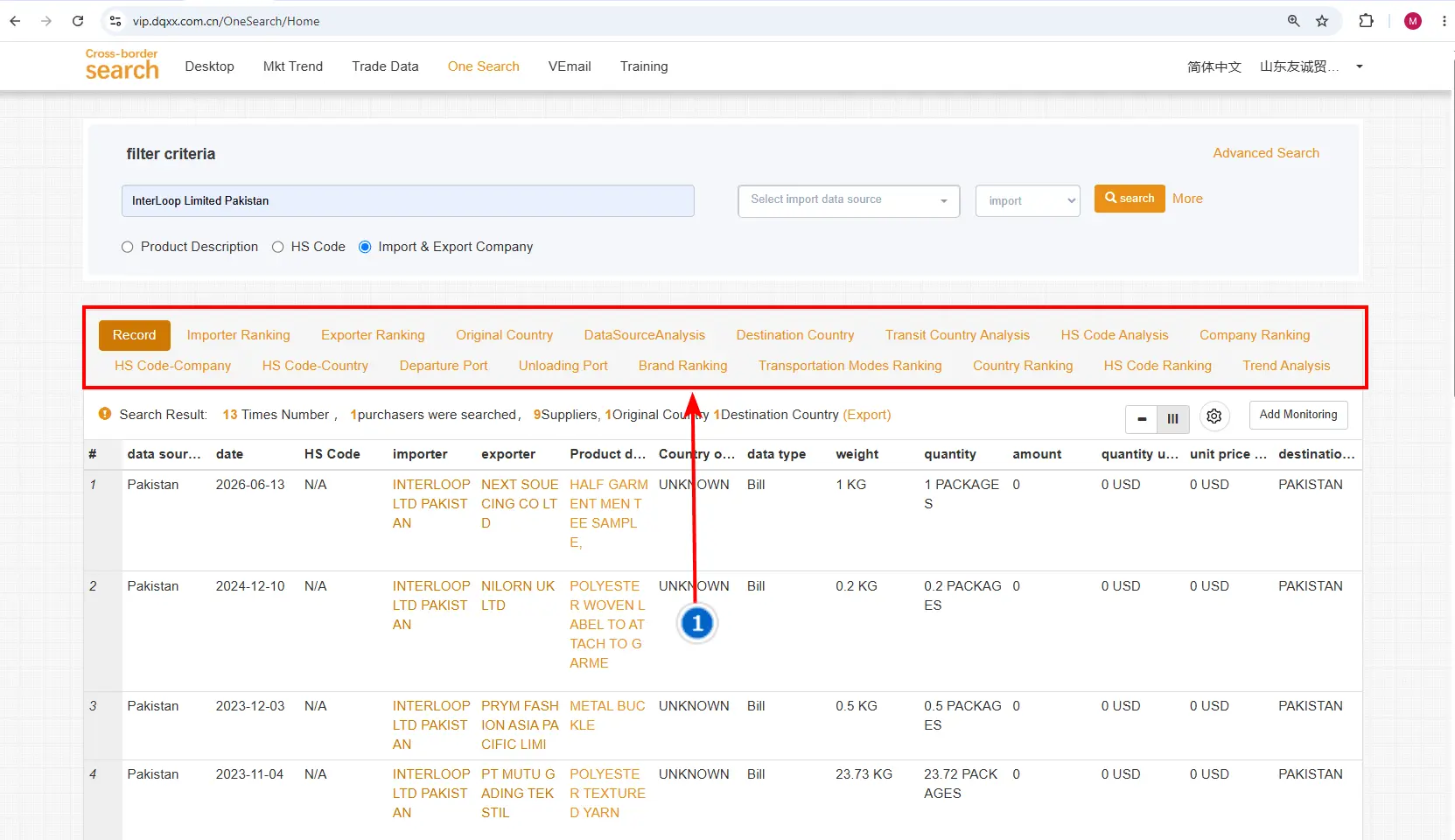
Image 3: Import Data Tabs
01
Record Page
View all recent shipment records of products imported by the company.
02
Importer Ranking
See the products imported by the company and how much of each was imported.
03
Exporter Ranking
See all the origin companies that exported goods to the selected company.
04
Origin Countries
View, line by line, all the countries from which the company has imported goods.
05
Data Source Analysis
View the company’s import data based on the available data sources.
06
Destination Country
See the countries where the imported goods were delivered.
07
Transit Country Data
See the countries through which the goods pass before reaching the company’s destination.
08
HS Code Analysis
View the different products imported by the company based on their HS codes.
09
Company Ranking
See the companies involved in the import transactions, including suppliers, exporters, and related companies.
10
HS Code Companies
View companies associated with the company’s imports based on product HS codes.
11
HS Code Countries
View countries involved in importing and exporting goods to the company based on HS codes.
12
Departure Port
See the ports from which the goods were shipped to the company.
13
Unloading Port
See the ports where the imported goods were unloaded.
14
Brand Ranking
View the top brands of the products imported by the company.
15
Transportation Modes Ranking
See and rank the transport methods used to deliver goods to the company.
16
Country Ranking
View the countries the company imports from and the companies supplying those goods.
17
HS Code Ranking
View countries and companies involved in the imports, organized by HS code instead of product names.
18
Trend Analysis
View the company’s import data in a year-wise graph to analyze import trends over time.
STEP 04
Search Results
Understand the Result Summary
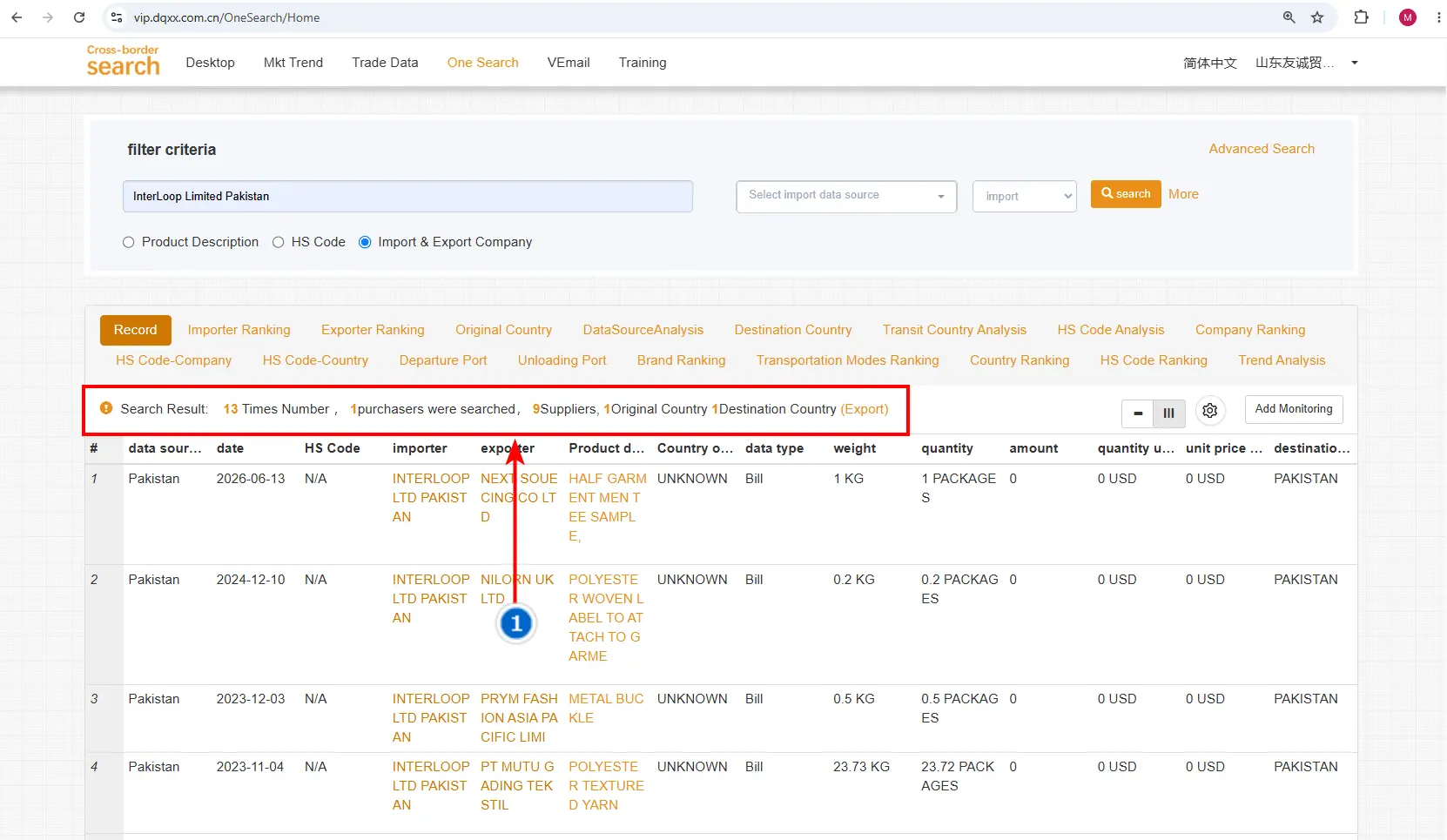
Image 4: Search Result Summary
01
Import Transactions
See how many times the selected company has imported products from other companies or countries.
02
Purchasers / Importer Countries
Shows the importer country related to the company. Since one country is searched, only that country appears.
03
Suppliers
See how many suppliers have exported or sold their products to the company.
04
Origin Country
See the countries from which the company has imported its products.
05
Destination Country
Shows the country where the products were delivered. Since one country is searched, only that destination is shown.
STEP 05
Record Page
Check Recent Shipment Details
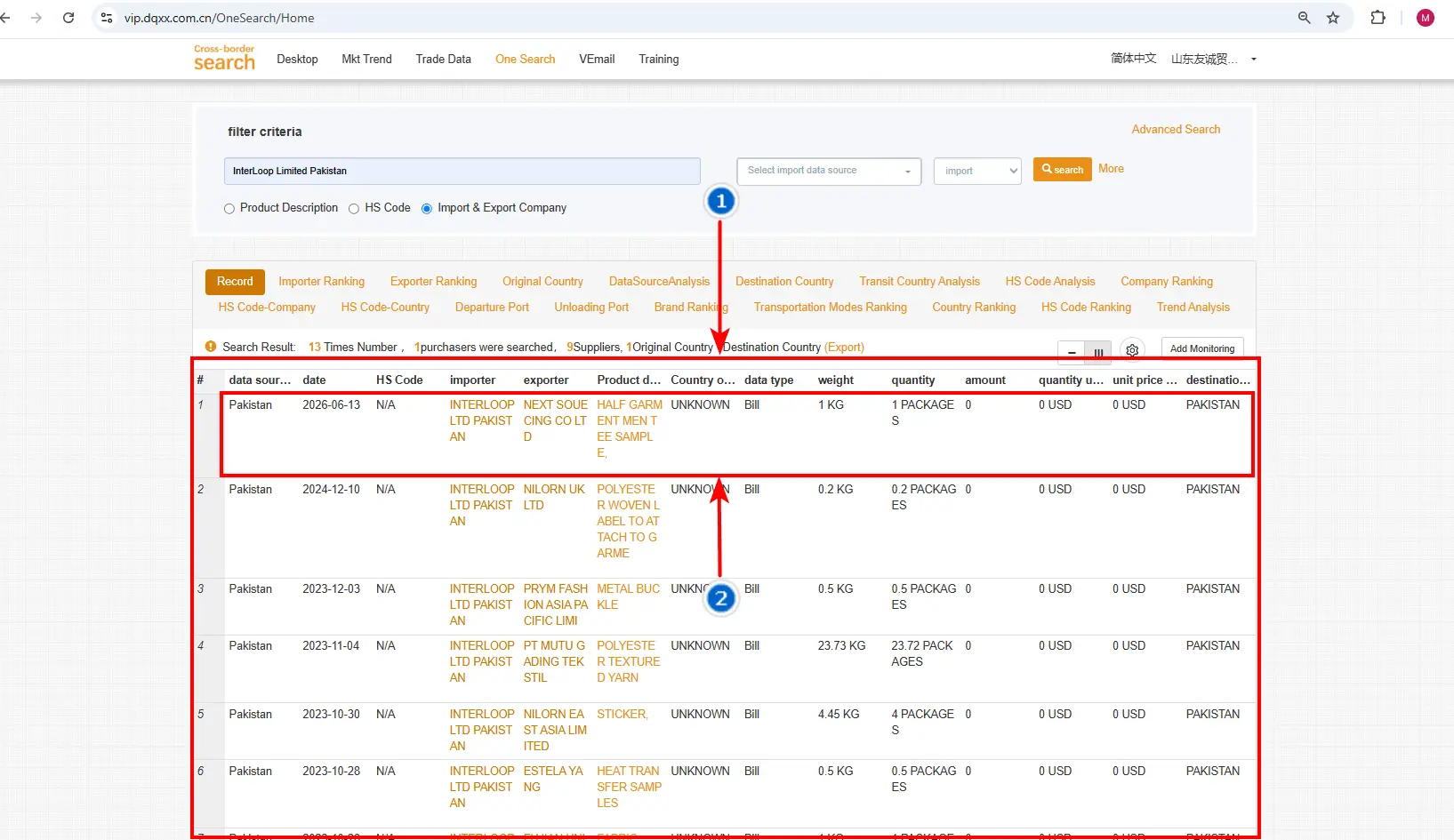
Image 5: Record Page Overview
01
Recent Shipment Details
See the products imported, the exporting companies, quantity and weight, product value/amount, and other shipment details.
02
Importer Record
In the first record, the importer is Interloop Limited, Pakistan, because we selected it for the search. Each record shows the exporter name, product description, value/amount, weight, quantity, shipping details, and destination company.
STEP 06
Further Details
Open Detailed Information
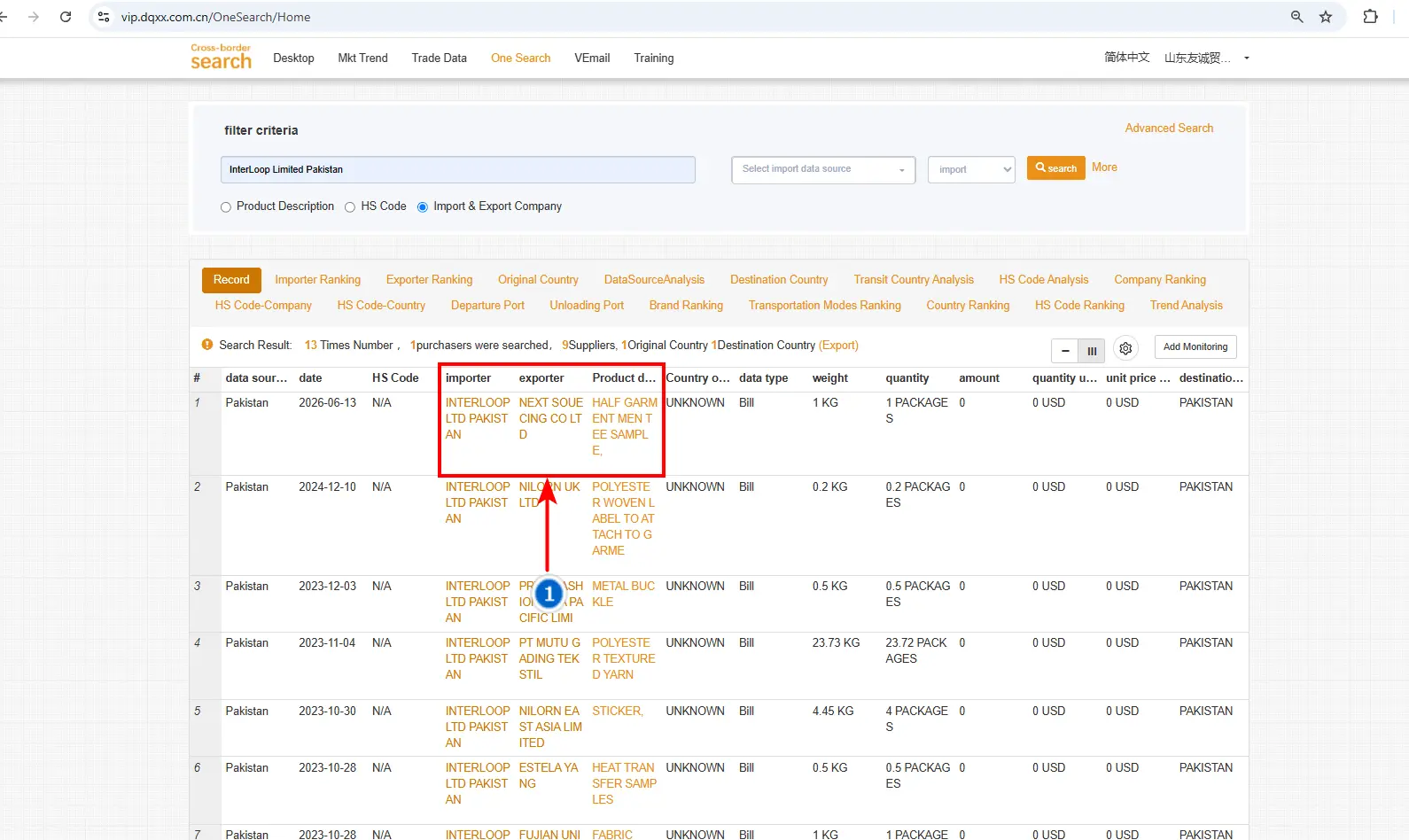
Image 6: Importer, Exporter and Product Links
01
Importer Name
Click the importer name, for example Interloop Limited, Pakistan, to view its detailed information.
02
Exporter Name
Click the exporter name to view details about the supplying company.
03
Product Description
Click the product description to view further details about the imported product.